Learn how AI agents can help small businesses save time, organize operations, improve customer communication, and build smarter workflows—with practical examples, realistic expectations, and a step-by-step guide.
Running a small business means managing many responsibilities at once.
One moment, you are answering customer questions. The next, you are organizing appointments, following up with leads, updating spreadsheets, reviewing website inquiries, or preparing reports.
For entrepreneurs and small teams, these repetitive tasks can consume valuable time that could otherwise be spent improving products, serving customers, and developing new opportunities.
This is where AI agents are attracting attention.
In 2026, businesses are moving beyond experimenting with AI-generated text and beginning to explore systems that can assist with multi-step tasks.
But what exactly are AI agents? How are they different from ordinary chatbots? And can a small business actually benefit from them?
This guide explains the technology in simple language, introduces nine practical use cases, and shows how to get started without making unnecessary investments.
1. What Is an AI Agent?
An AI agent is a software system that uses artificial intelligence to interpret instructions, work with information, and perform certain tasks toward a defined goal.
Depending on its design, an AI agent may be able to use connected tools, retrieve relevant information, organize tasks, and recommend or execute actions within approved limits.
For example, imagine a customer sends a message asking whether a business offers website development services.
A basic chatbot might respond with a prepared answer.
A more capable AI agent could potentially:
- Identify the customer’s question.
- Check an approved service catalog.
- Find the relevant service description.
- Prepare a personalized response.
- Record the inquiry in a connected customer-management system.
- Notify a team member when human assistance is required.
The exact capabilities depend on the tools, permissions, data sources, and safeguards configured for that system.
An AI agent is not automatically capable of performing every task. It must be connected to the appropriate resources and tested for the specific work it is expected to handle.
2. AI Agents vs. Traditional Chatbots: What’s the Difference?
Chatbots and AI agents are related, but they are not always the same thing.
A traditional chatbot usually focuses on responding to questions or following a structured conversation.
An AI agent may go further by coordinating multiple steps or interacting with approved business tools.
Consider this example.
A customer asks: “Can I book a consultation for Thursday afternoon?”
A basic chatbot might provide the business’s booking link.
An AI agent connected to a scheduling system could check available appointments, suggest suitable times, and prepare a booking request.
However, businesses should require confirmation before an agent makes consequential changes or communicates commitments on their behalf.
The difference is not simply that an AI agent sounds more intelligent.
The important difference is whether the system can reliably assist with a workflow while operating within clearly defined permissions.
3. Why Are AI Agents Trending in 2026?
Artificial intelligence has already become part of many business workflows, but AI agents are generating particular interest because they can help connect separate tasks.
Instead of asking an employee to copy information between several tools, a business may be able to design a workflow that automatically organizes information and prepares the next action.
Recent research illustrates this growing interest.
According to Upwork’s State of AI Within SMBs in 2026, a survey of 195 leaders at US businesses with 10–99 employees found that:
- 41% were actively piloting AI agents for decision support.
- 36% were piloting information retrieval.
- 34% were piloting workflow automation.
- 74% reported improved productivity from AI, although most reported gains below 25%.
These findings reflect that surveyed group, not every small business worldwide.
The results also show an important reality: adoption is increasing, but meaningful productivity improvements depend on how well a system is implemented.
Similarly, Microsoft’s 2026 Work Trend Index emphasizes that business processes, employee support, and human judgment remain important even when AI systems can perform more work.
In other words, installing an AI tool is not the same as creating an effective business workflow.
4. Nine Practical AI Agent Use Cases for Small Businesses
The most useful AI systems usually solve specific, recurring problems.
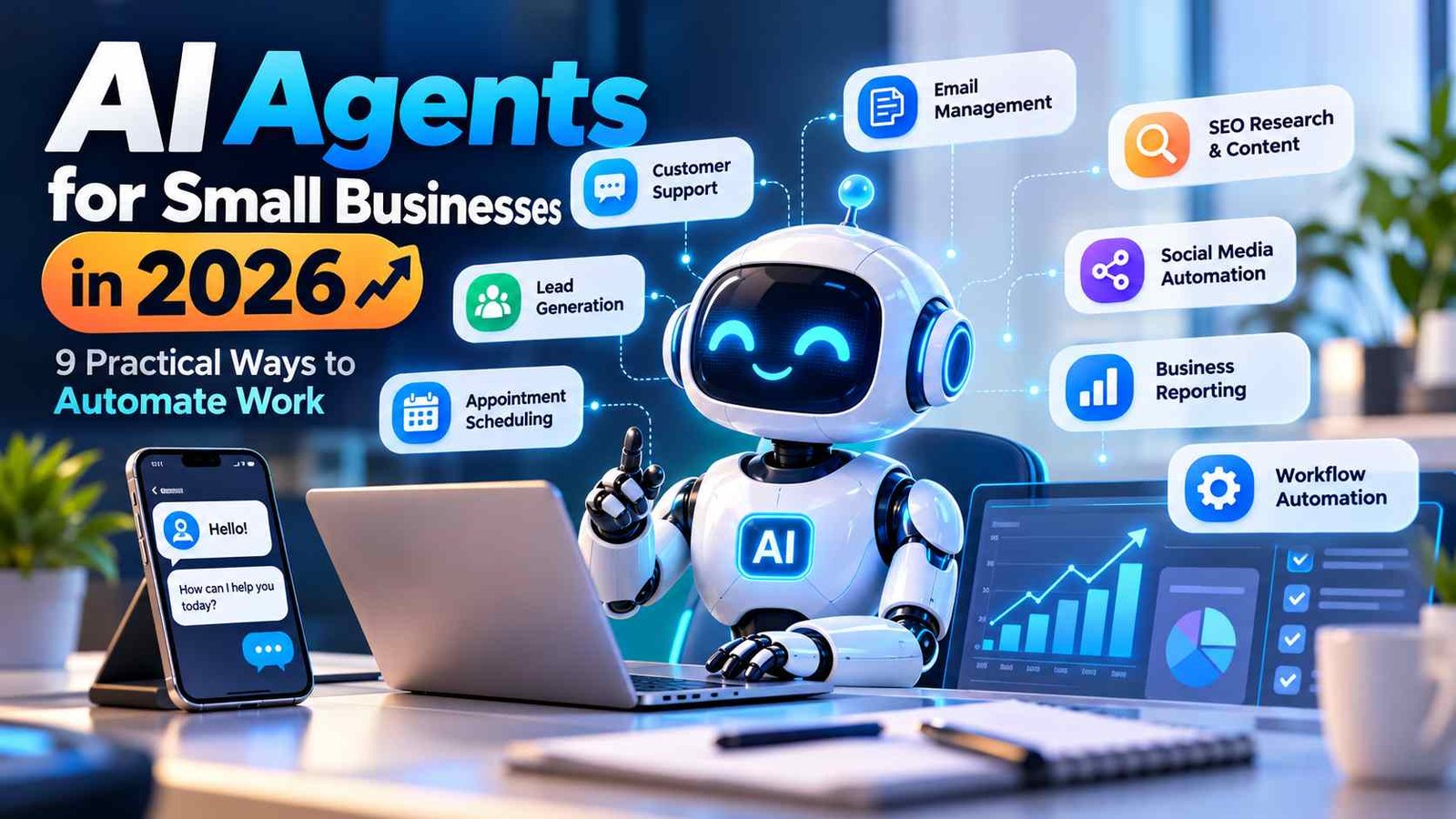
Here are nine practical areas where small businesses can explore AI-assisted automation.
1. Customer Support Assistance
Customer support is a natural starting point because many questions are repetitive.
A customer may ask about business hours, service categories, pricing policies, delivery expectations, or appointment availability.
An AI agent connected to an approved knowledge base can help answer straightforward questions and identify situations requiring human attention.
For example, a website development agency may receive inquiries such as:
“Do you build WordPress websites?”
“Can you redesign my existing website?”
“What information do you need before starting?”
An agent can help provide consistent information and direct complex requirements to a staff member.
The business should ensure that the agent does not invent prices, delivery promises, or refund policies.
2. Lead Collection and Qualification
Many businesses receive inquiries from people who are interested but have not yet explained their requirements.
An AI-assisted lead-management workflow can organize these inquiries.
For example, a potential client requests SEO services.
The system could collect approved information such as the website URL, project goals, service category, and preferred contact method.
It could then prepare a summary for a sales representative.
This reduces repetitive administrative work and helps staff begin conversations with useful context.
Sensitive information should not be collected unless necessary.
3. Appointment Scheduling
Scheduling can involve repetitive messages about availability, confirmations, changes, and reminders.
An AI agent connected to an approved calendar or scheduling application may help coordinate these steps.
For example, a consulting business could use automation to identify open appointment slots and prepare reminders.
Calendar changes should follow clear permissions and confirmation rules.
4. Email Organization and Drafting
Small businesses often receive many emails involving client questions, proposals, meeting requests, and project updates.
An AI agent can assist by categorizing emails, summarizing conversations, and preparing response drafts.
For example, an agency might sort incoming emails into categories such as new inquiries, active projects, billing questions, and general support.
The agent could prepare draft replies for team review.
For sensitive conversations, sending should remain subject to human approval.
5. SEO Research and Content Planning
Search engine optimization requires research, organization, and regular analysis.
AI tools can assist SEO professionals with keyword grouping, content outlines, technical issue summaries, and organizing reports.
For example, an SEO specialist managing several websites could use an AI-assisted workflow to organize audit findings and prepare a prioritized list of issues for review.
AI-generated SEO recommendations should still be checked against the actual website, user needs, and search engine guidance.
Automatically producing large quantities of low-value content is not a sustainable SEO strategy.
The goal should be to create accurate, useful content for people.
6. Social Media and Content Workflow Support
Maintaining an online presence requires planning, drafting, editing, scheduling, and reviewing content.
AI agents can help organize content calendars, suggest ideas, prepare draft captions, and summarize engagement reports.
A small business might use a workflow that turns approved product information into several draft social media posts.
A human editor should check the content before publication.
This is especially important when posts contain factual claims, customer testimonials, or promotional offers.
7. Website Inquiry Management
A website is often the first place where potential customers interact with a business.
An AI assistant can help organize inquiries submitted through contact forms or service request pages.
For example, a client requesting a custom website may provide a brief description of their idea.
The system could organize the request into useful fields such as project type, required functionality, expected timeline, and questions needing clarification.
This information could then be prepared for the relevant freelancer or agency.
The business should disclose automated handling where appropriate and protect the submitted information.
8. Data Organization and Business Reporting
Small teams frequently work with spreadsheets and reports.
AI-assisted systems can summarize approved datasets, identify missing information, prepare recurring reports, and explain trends.
For example, a business owner may want a weekly overview of customer inquiries, completed tasks, and outstanding requests.
An AI agent could organize this information into a structured report.
However, calculations and summaries should be validated, especially when they affect financial or operational decisions.
9. Internal Workflow Automation
Some of the most useful automations are not visible to customers.
Consider an agency that receives a new project request.
A connected workflow might:
- Record the request.
- Identify the requested service.
- Prepare an internal project summary.
- Notify the appropriate team member.
- Create a draft task list.
- Flag missing information for review.
This can help employees spend less time moving information between systems.
The most reliable implementations begin with a small, well-defined process rather than attempting to automate an entire company at once.
5. Real-World Example: An AI Agent for a Web Development Agency
Imagine a small web development agency with three team members.
The agency receives inquiries about WordPress websites, landing pages, website maintenance, and custom web applications.
Before introducing automation, one employee spends time reading every request and forwarding it to the appropriate person.
The agency decides to test a simple AI-assisted workflow.
Step 1: Receive the Inquiry
A visitor submits a contact form describing a website project.
Step 2: Understand the Request
The AI system identifies the project’s general category and extracts relevant requirements from the submitted information.
Step 3: Organize the Details
The system creates a structured summary for the agency.
Step 4: Prepare a Response
It drafts a response acknowledging the inquiry and asking any necessary follow-up questions.
Step 5: Human Review
A team member checks the draft and decides whether to send it.
Step 6: Track the Result
The agency reviews whether the automation reduced response preparation time without lowering accuracy.
This is a realistic starting point because the system assists staff without independently making major business decisions.
Importantly, this is an illustrative workflow, not a claim about a particular company’s achieved results.
6. Can AI Agents Help Freelancers?
Yes. AI agents can be useful for freelancers as well as established businesses.
Independent professionals often manage their own client communication, research, scheduling, documentation, and project administration.
An AI-assisted workflow may help reduce repetitive tasks.
A freelance developer might use AI to summarize client requirements and organize project notes.
An SEO freelancer could use AI-assisted reporting to prepare a clearer presentation of audit findings.
A content strategist could organize research materials and draft editorial calendars.
However, AI should support professional judgment rather than replace responsibility for deliverables.
A freelancer remains accountable for the accuracy, quality, security, and originality of the work provided to clients.
7. How Much Does an AI Agent Cost?
There is no universal price for developing or operating an AI agent.
A simple internal assistant that works with one approved information source is very different from a custom automation platform connected to multiple business systems.
The total cost depends on several factors.
Development Complexity
A straightforward workflow usually requires less development than a system involving multiple integrations, complex rules, or custom interfaces.
AI Model and API Usage
Some AI systems charge based on usage, such as processed text, tool calls, or other resource consumption.
Costs may increase as the number of users or tasks grows.
Third-Party Integrations
Connecting calendars, customer-management platforms, databases, and other tools may introduce additional costs.
Security and Maintenance
Reliable systems need testing, monitoring, access management, error handling, and ongoing improvements.
Human Review
Some workflows require employees to approve responses or verify results, which should be included in the operating plan.
Before hiring a developer, ask for a clear breakdown of development fees, recurring costs, support, and maintenance.
Do not rely on claims that an AI agent will automatically eliminate business expenses or generate guaranteed revenue.
8. How to Build Your First AI Agent: A Practical Roadmap
Businesses do not need to begin with a complex system.
A focused project with measurable goals is usually a better starting point.
Step 1: Identify One Repetitive Problem
Choose a task that consumes time regularly.
Examples include organizing customer inquiries, preparing support response drafts, or compiling weekly reports.
Step 2: Define the Expected Outcome
Specify what successful automation should accomplish.
For example: “Organize new website inquiries into clear categories so staff can review them faster.”
This is more useful than a vague goal such as “Automate my business.”
Step 3: Review the Available Data
Determine which information the system needs.
Use only necessary, authorized business data.
Avoid giving an agent unrestricted access to customer records or confidential documents.
Step 4: Set Permission Boundaries
Decide which actions the AI system can perform automatically and which require approval.
A system might be allowed to prepare a response but not send it without confirmation.
It might read approved service descriptions but not edit financial records.
Step 5: Build a Small Prototype
Test the workflow using representative examples.
Check how it handles incomplete requests, unexpected instructions, incorrect information, and temporary service failures.
Step 6: Measure Performance
Compare the workflow with the original process.
Useful measurements include:
- Average handling time
- Percentage of correct classifications
- Number of human corrections required
- Operating cost per task
- Customer experience and error rates
Step 7: Improve Before Expanding
If the first workflow performs reliably, consider adding another task.
Growth should be based on demonstrated usefulness, not the number of tools connected.
9. How to Choose an AI Agent Developer or Freelancer
Many businesses prefer to work with a professional who understands automation, APIs, business processes, and data security.
When reviewing potential service providers, focus on their ability to solve the actual business problem.
A useful project discussion should cover the required workflow, existing software, available data, privacy expectations, approvals, maintenance, and budget.
Ask whether the provider can demonstrate a similar workflow or explain how testing will be conducted.
Clarify who owns the completed code, configuration, and documentation.
You should also understand what happens if an external AI service becomes unavailable or changes its pricing.
A good developer should explain limitations clearly rather than promising a completely autonomous system that never makes mistakes.
Discover AI Automation Services on VeyloChat
VeyloChat combines messaging and freelance service discovery to help professionals and potential clients connect.
If you are planning an AI automation project, you can explore the VeyloChat Services Marketplace and look for professionals offering AI development, workflow automation, or related services.
Clients can use the platform’s available project and messaging features to describe their requirements and discuss possible solutions.
Freelancers and agencies can introduce their expertise through professional profiles and service listings.
The availability of specific marketplace functions depends on the current application version.
Open the VeyloChat Web App to explore the platform.
10. Common AI Agent Mistakes Small Businesses Should Avoid
AI automation can be useful, but poor implementation can create new problems.
One common mistake is trying to automate too many tasks simultaneously.
Another is connecting an AI system to inaccurate or outdated information.
Businesses may also underestimate ongoing costs, neglect security reviews, or assume that an AI-generated response is always correct.
AI agents can misinterpret instructions, produce inaccurate information, and encounter malicious content embedded in documents or messages.
To reduce these risks, use limited permissions, validate important outputs, keep activity records, and require human review for consequential actions.
Customer data deserves particular attention.
Businesses should confirm what information external providers receive, how long data is retained, and whether the workflow complies with applicable privacy requirements.
A reliable system is not simply one that runs quickly. It is one that behaves predictably, protects information, and allows people to correct mistakes.
11. How to Measure the Return on an AI Agent
Before investing heavily, define how you will evaluate the project.
For instance, suppose a business spends eight hours each week organizing incoming service requests.
After implementing a tested workflow, that workload might decrease.
To evaluate the benefit, the owner should measure the actual time saved over several weeks and compare it with setup, subscription, maintenance, and review costs.
An illustrative calculation is:
Monthly net benefit = Value of verified time saved − Monthly operating costs
This calculation should also account for error correction and oversight.
Not every saved minute translates directly into financial savings. The business may instead gain faster responses, better organization, or more time for complex work.
The important point is to measure real outcomes rather than assuming that AI always produces a positive return.
12. What Is Next for AI Agents?
AI agents are likely to remain an important area of business software development, although the speed and reliability of adoption will vary.
As tools improve, businesses may find more opportunities to connect information retrieval, scheduling, communications, and operational workflows.
At the same time, security, accuracy, transparency, and human oversight will remain essential.
The companies that benefit most will not necessarily be those using the largest number of AI tools.
They may be the businesses that identify useful problems, choose reliable solutions, and build processes around measurable results.
For freelancers, this creates opportunities to develop expertise in automation architecture, integrations, testing, security, and ongoing support.
For clients, it creates new possibilities for improving routine work—provided projects are planned realistically.
Frequently Asked Questions
What is an AI agent in simple words?
An AI agent is a software system that can use artificial intelligence and connected tools to assist with tasks toward a defined goal, within configured permissions.
Are AI agents useful for small businesses?
They can be useful when a business has repetitive, well-defined tasks and suitable information sources. Benefits should be tested rather than assumed.
Can an AI agent answer customer questions?
Yes, if it has access to accurate, approved information and appropriate controls. Complex or sensitive questions should be referred to a human.
Do I need coding skills to use AI agents?
Not always. Some tools provide visual workflow builders, while more specialized systems require professional development.
Can AI agents automate SEO work?
They can assist with research, analysis, reporting, and planning. Human review remains necessary, and no AI agent can guarantee search rankings.
Is an AI agent the same as a chatbot?
Not necessarily. A chatbot mainly handles conversations, while an AI agent may coordinate tasks and use connected tools. Their capabilities can overlap.
Are AI agents completely autonomous?
Some systems can perform approved actions automatically, but fully unsupervised operation is not appropriate for every task. Important decisions should have suitable human controls.
Can I hire someone to build an AI agent?
Yes. Freelancers and development agencies can offer automation services. Compare project scope, expertise, security practices, deliverables, and maintenance terms before choosing a provider.
Where can I explore AI automation services?
You can visit the VeyloChat Services page to explore relevant professional categories and available listings.
Final Thoughts: Start Small, Build Smarter
AI agents are creating new possibilities for businesses that want to spend less time on repetitive processes and more time on meaningful work.
From customer support and appointment scheduling to lead organization and internal reporting, there are many practical ways to explore AI-assisted automation.
However, successful implementation requires clear goals, accurate data, responsible permissions, human oversight, and realistic expectations.
For small businesses, the best first step is not to automate everything.
It is to identify one useful workflow, test a reliable solution, measure the results, and improve from there.
If you are looking for professionals who can help with AI agents, website development, SEO, or digital business services, VeyloChat aims to connect you with relevant freelance and agency expertise.
Explore the platform and discover new professional connections.
Learn About VeyloChat Features
VeyloChat — Connect. Communicate. Discover Opportunities.